
Analyzing your prompt, please hold on...
An error occurred while retrieving the results. Please refresh the page and try again.
This documentation covers how to set barcode text in the Aspose.BarCode Cloud SDK for Swift. The Barcode API supports multiple methods to generate barcodes in different formats using GET and POST requests through the GenerateAPI. Barcodes can be generated by specifying various parameters such as barcode type, data to encode, image format and display options. The data encoding process involves defining the type of data and the actual content.
The GenerateAPI interface includes methods for generating barcodes:
dataType: Specifies the type of data encoding (can be string, base64, or hex). If not set, the data value is used as plain text.data: A string that represents the data to be encoded.| Value | Description |
|---|---|
| .stringData (Default value) | Plain text |
| .base64Bytes | Base64 encoded binary data |
| .hexBytes | Hexadecimal encoded binary data |
Below are examples to demonstrate barcode generation using the GenerateAPI methods.
import AsposeBarcodeCloud
import Foundation

let client = AsposeBarcodeCloudClient(
    clientId: "Client Id from https://dashboard.aspose.cloud/applications",
    clientSecret: "Client Secret from https://dashboard.aspose.cloud/applications"
)

let imageData = try await GenerateAPI.generate(
    barcodeType: .qr,
    data: "Aspose.BarCode.Cloud",
    dataType: .stringData,
    barcodeImageParams: BarcodeImageParams(imageFormat: .png),
    apiConfiguration: client.apiConfiguration
)

try imageData.write(to: URL(fileURLWithPath: "qr.png"))
print("File 'qr.png' generated.")
Result Image is: 
import AsposeBarcodeCloud
import Foundation

let client = AsposeBarcodeCloudClient(
    clientId: "Client Id from https://dashboard.aspose.cloud/applications",
    clientSecret: "Client Secret from https://dashboard.aspose.cloud/applications"
)

let encodedText = Data("Aspose.BarCode.Cloud".utf8).base64EncodedString()
let generateParams = GenerateParams(
    barcodeType: .qr,
    encodeData: EncodeData(dataType: .base64Bytes, data: encodedText),
    barcodeImageParams: BarcodeImageParams(imageFormat: .png)
)

let imageData = try await GenerateAPI.generateBody(
    generateParams: generateParams,
    apiConfiguration: client.apiConfiguration
)

try imageData.write(to: URL(fileURLWithPath: "qr.png"))
print("File 'qr.png' generated.")
Result Image is: 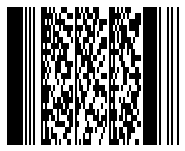
import AsposeBarcodeCloud
import Foundation

let client = AsposeBarcodeCloudClient(
    clientId: "Client Id from https://dashboard.aspose.cloud/applications",
    clientSecret: "Client Secret from https://dashboard.aspose.cloud/applications"
)

let hexText = "4173706F73652E426172436F64652E436C6F7564"
let imageData = try await GenerateAPI.generateMultipart(
    barcodeType: .qr,
    data: hexText,
    dataType: .hexBytes,
    barcodeImageParams: BarcodeImageParams(imageFormat: .png),
    apiConfiguration: client.apiConfiguration
)

try imageData.write(to: URL(fileURLWithPath: "qr.png"))
print("File 'qr.png' generated.")
Result Image is: 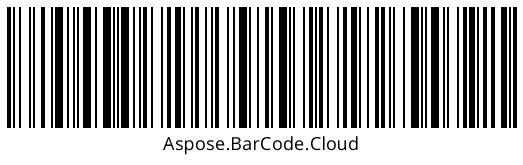
This documentation covers how to use the GenerateAPI to set barcodes text.

Analyzing your prompt, please hold on...
An error occurred while retrieving the results. Please refresh the page and try again.