


Analyzing your prompt, please hold on...
An error occurred while retrieving the results. Please refresh the page and try again.
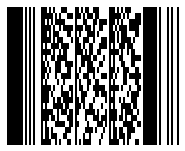
The Aspose.BarCode Cloud SDK for Swift by the GenerateAPI provides methods to generate barcodes to the Data. Then you can work with result in order to obtain the desired outcomes. This API supports various barcode formats and configurations, enabling users to customize barcode generation to fit their needs.
Data.Below are examples demonstrating how to save the generated barcode stream to a file.
generateimport AsposeBarcodeCloud
import Foundation
let client = AsposeBarcodeCloudClient(
clientId: "Client Id from https://dashboard.aspose.cloud/applications",
clientSecret: "Client Secret from https://dashboard.aspose.cloud/applications"
)
let imageData = try await GenerateAPI.generate(
barcodeType: .qr,
data: "Aspose.BarCode Cloud",
barcodeImageParams: BarcodeImageParams(imageFormat: .png),
apiConfiguration: client.apiConfiguration
)
try imageData.write(to: URL(fileURLWithPath: "barcode.png"))
print("File 'barcode.png' generated.")
generateBodyimport AsposeBarcodeCloud
import Foundation
let client = AsposeBarcodeCloudClient(
clientId: "Client Id from https://dashboard.aspose.cloud/applications",
clientSecret: "Client Secret from https://dashboard.aspose.cloud/applications"
)
let generateParams = GenerateParams(
barcodeType: .qr,
encodeData: EncodeData(dataType: .stringData, data: "Aspose.BarCode Cloud"),
barcodeImageParams: BarcodeImageParams(imageFormat: .jpeg)
)
let imageData = try await GenerateAPI.generateBody(
generateParams: generateParams,
apiConfiguration: client.apiConfiguration
)
try imageData.write(to: URL(fileURLWithPath: "qrcode.jpeg"))
print("File 'qrcode.jpeg' generated.")
generateMultipartimport AsposeBarcodeCloud
import Foundation
let client = AsposeBarcodeCloudClient(
clientId: "Client Id from https://dashboard.aspose.cloud/applications",
clientSecret: "Client Secret from https://dashboard.aspose.cloud/applications"
)
let imageData = try await GenerateAPI.generateMultipart(
barcodeType: .pdf417,
data: "Aspose.BarCode Cloud",
barcodeImageParams: BarcodeImageParams(imageFormat: .png),
apiConfiguration: client.apiConfiguration
)
try imageData.write(to: URL(fileURLWithPath: "pdf417.png"))
print("File 'pdf417.png' generated.")
The Aspose.BarCode Cloud SDK for Swift offers a robust solution for generating barcodes in various formats, with flexible configuration options. By using the provided methods, developers can easily create and save barcode images to files, streamlining workflows that require barcode generation. Whether you’re working with simple barcodes like Code128 or more complex ones like QR Codes and DataMatrix, this API provides the tools needed to customize and produce high-quality barcode images.

Analyzing your prompt, please hold on...
An error occurred while retrieving the results. Please refresh the page and try again.