
Analyzing your prompt, please hold on...
An error occurred while retrieving the results. Please refresh the page and try again.
This documentation provides a guide on how to set barcode sizes using in the Aspose.BarCode Cloud SDK for Swift. This guide includes examples and descriptions for configuring the height, width, and resolution of barcode images.
The GenerateAPI interface offers several methods for generating barcodes through different types of HTTP requests:
To control the size of a barcode, the following properties in the request objects can be configured:
imageHeight: Specifies the height of the barcode image.imageWidth: Specifies the width of the barcode image.resolution: Defines the resolution (DPI) of the barcode image.units: Defines the measurement units (e.g., pixel, inch, millimeter).import AsposeBarcodeCloud
import Foundation
let client = AsposeBarcodeCloudClient(
clientId: "Client Id from https://dashboard.aspose.cloud/applications",
clientSecret: "Client Secret from https://dashboard.aspose.cloud/applications"
)
let imageParams = BarcodeImageParams(
imageFormat: .png,
units: .pixel,
resolution: 300,
imageHeight: 250,
imageWidth: 500
)
let imageData = try await GenerateAPI.generate(
barcodeType: .code128,
data: "Aspose.BarCode Cloud",
barcodeImageParams: imageParams,
apiConfiguration: client.apiConfiguration
)
try imageData.write(to: URL(fileURLWithPath: "code128.png"))
print("File 'code128.png' generated.")
Result Image is: 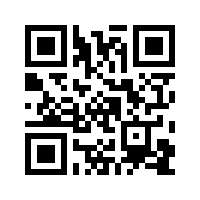
import AsposeBarcodeCloud
import Foundation

let client = AsposeBarcodeCloudClient(
    clientId: "Client Id from https://dashboard.aspose.cloud/applications",
    clientSecret: "Client Secret from https://dashboard.aspose.cloud/applications"
)

let generateParams = GenerateParams(
    barcodeType: .code128,
    encodeData: EncodeData(data: "Aspose.BarCode Cloud"),
    barcodeImageParams: BarcodeImageParams(
        imageFormat: .png,
        units: .millimeter,
        imageHeight: 30,
        imageWidth: 80
    )
)

let imageData = try await GenerateAPI.generateBody(
    generateParams: generateParams,
    apiConfiguration: client.apiConfiguration
)

try imageData.write(to: URL(fileURLWithPath: "code128.png"))
print("File 'code128.png' generated.")
Result Image is: 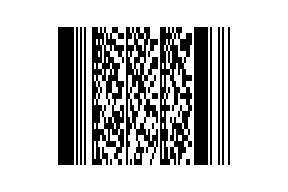
import AsposeBarcodeCloud
import Foundation

let client = AsposeBarcodeCloudClient(
    clientId: "Client Id from https://dashboard.aspose.cloud/applications",
    clientSecret: "Client Secret from https://dashboard.aspose.cloud/applications"
)

let imageData = try await GenerateAPI.generateMultipart(
    barcodeType: .code128,
    data: "Aspose.BarCode Cloud",
    barcodeImageParams: BarcodeImageParams(
        imageFormat: .png,
        units: .pixel,
        resolution: 200,
        imageHeight: 160,
        imageWidth: 420
    ),
    apiConfiguration: client.apiConfiguration
)

try imageData.write(to: URL(fileURLWithPath: "code128.png"))
print("File 'code128.png' generated.")
Result Image is: 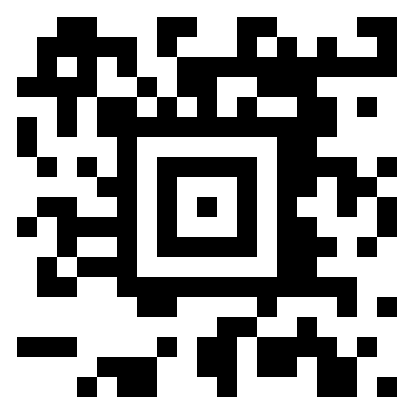
Setting the correct barcode dimensions ensures optimal readability and compatibility with various scanning devices. With Aspose.BarCode Cloud SDK for Swift, you can customize the barcode’s height, width, and resolution to meet specific requirements, whether for product labeling, logistics, or QR code marketing.
Proper barcode sizing improves scanning accuracy and ensures a better user experience. By setting the right dimensions using Aspose.BarCode Cloud SDK for Swift, you can ensure your barcodes are perfectly tailored for their intended use.

Analyzing your prompt, please hold on...
An error occurred while retrieving the results. Please refresh the page and try again.